
Screens from the real program.
Every image below is the software as you will use it — including “Winter Joy,” one of over 200 theme combinations you can switch between at any time.
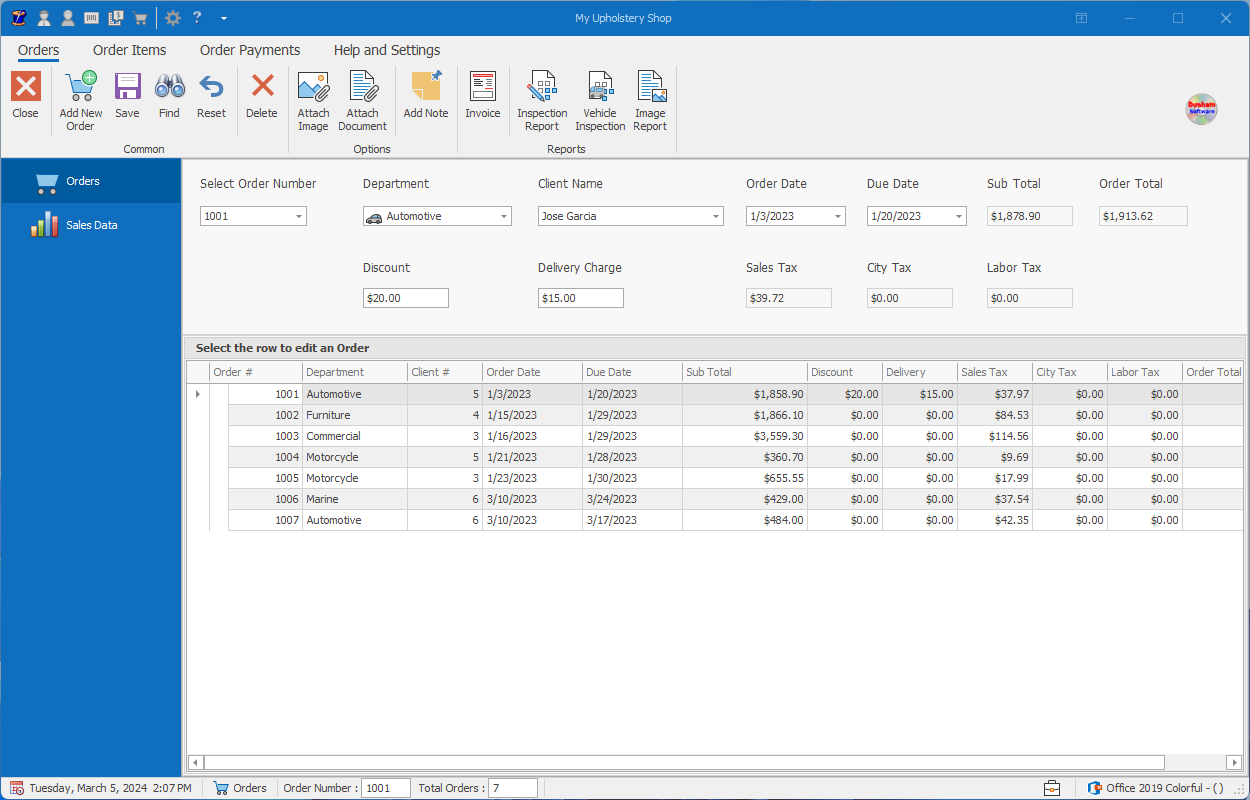
Orders desk
Create an order for the invoice. You can also create an estimate and turn it into an order with one click.
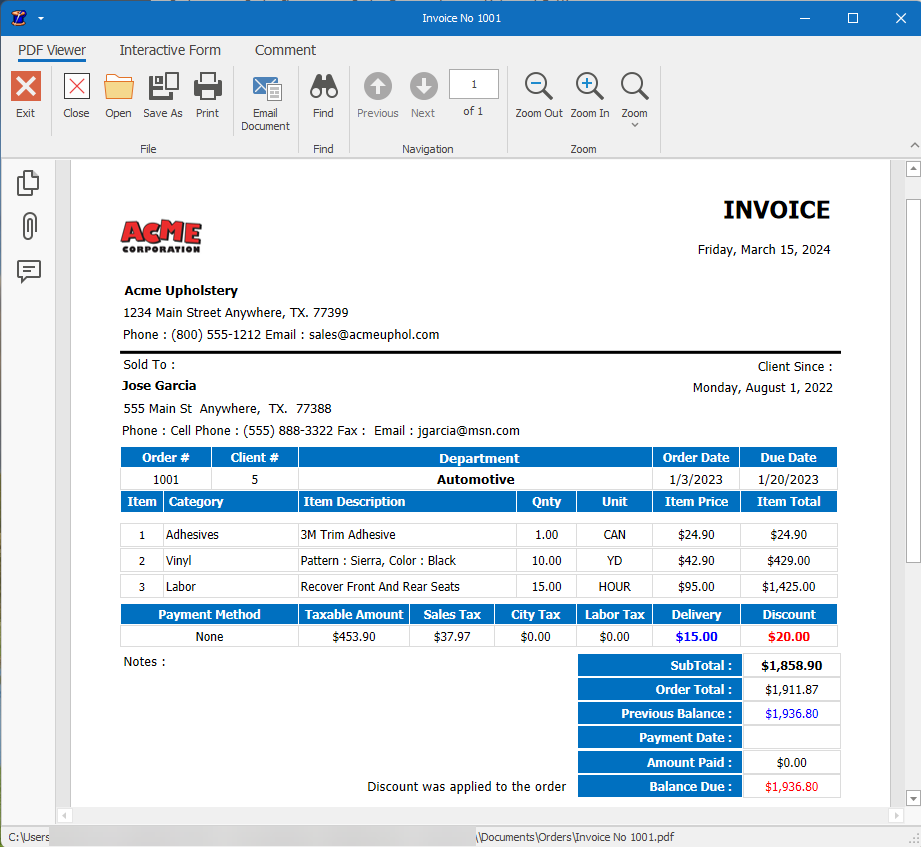
Invoice report
Professionally formatted invoices, ready to print or send in PDF format already.
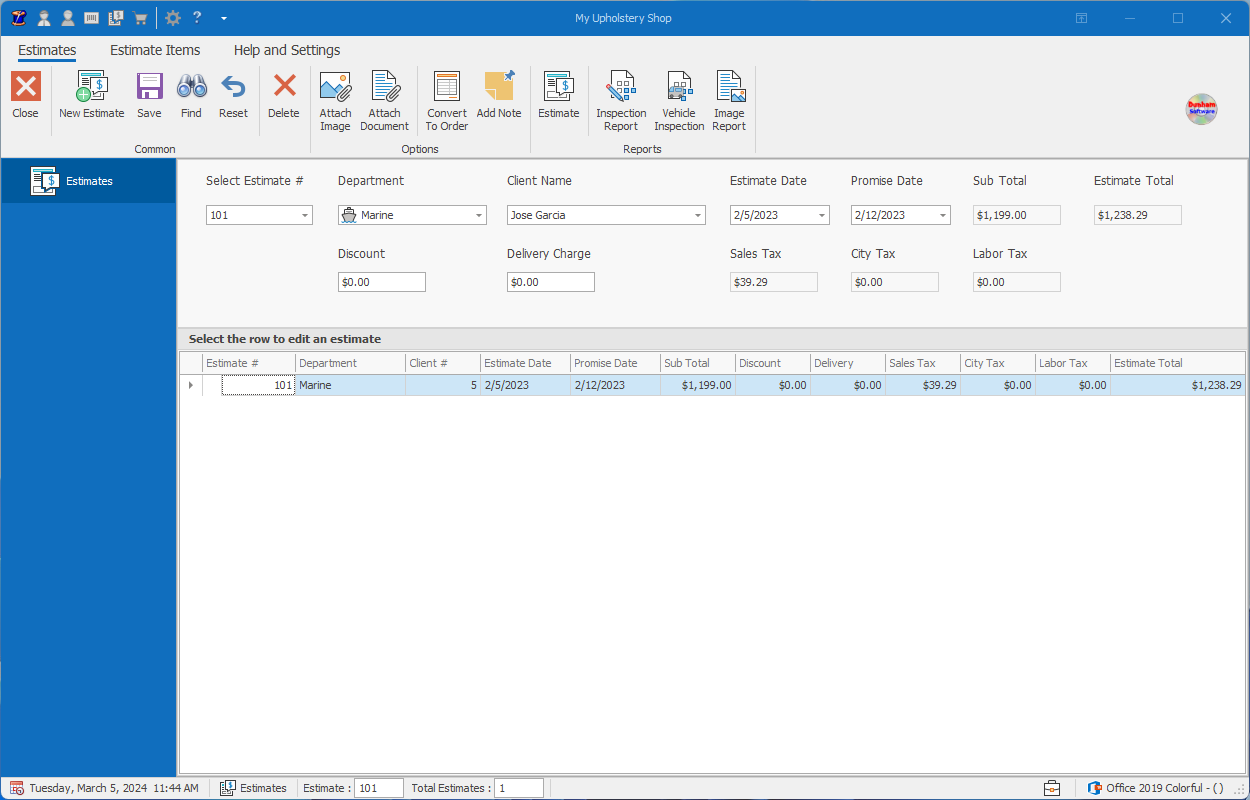
Estimates
Build an estimate once — update it, or turn it into an order with one click.
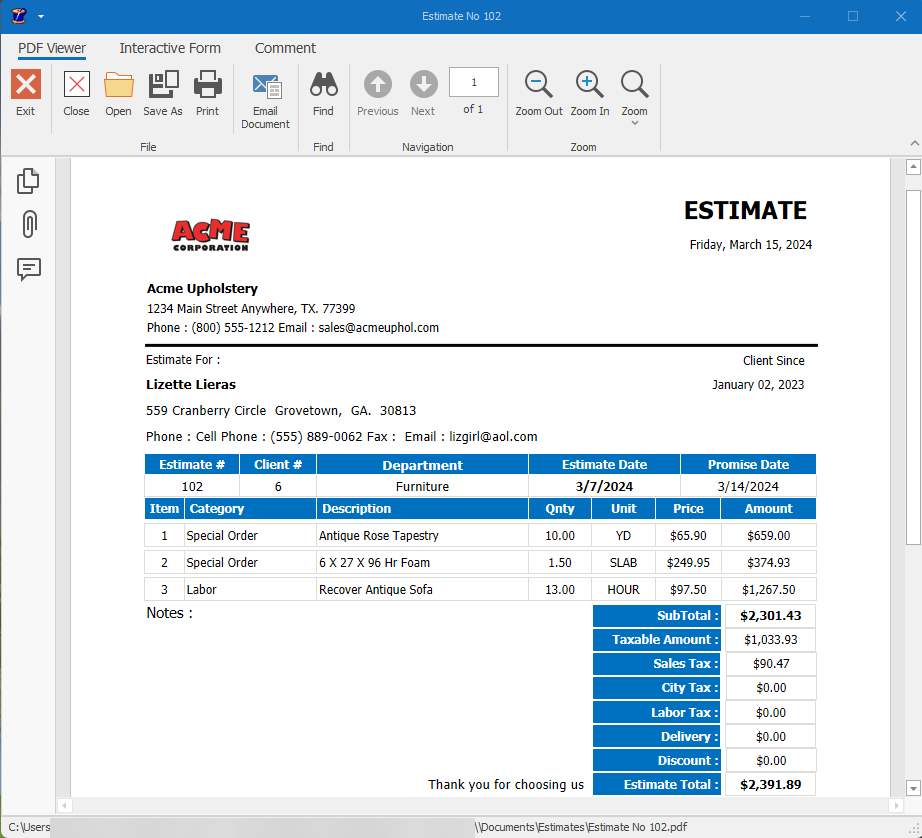
Estimate report
Customize band and text colors to suit your shop. Add Notes to the estimate.
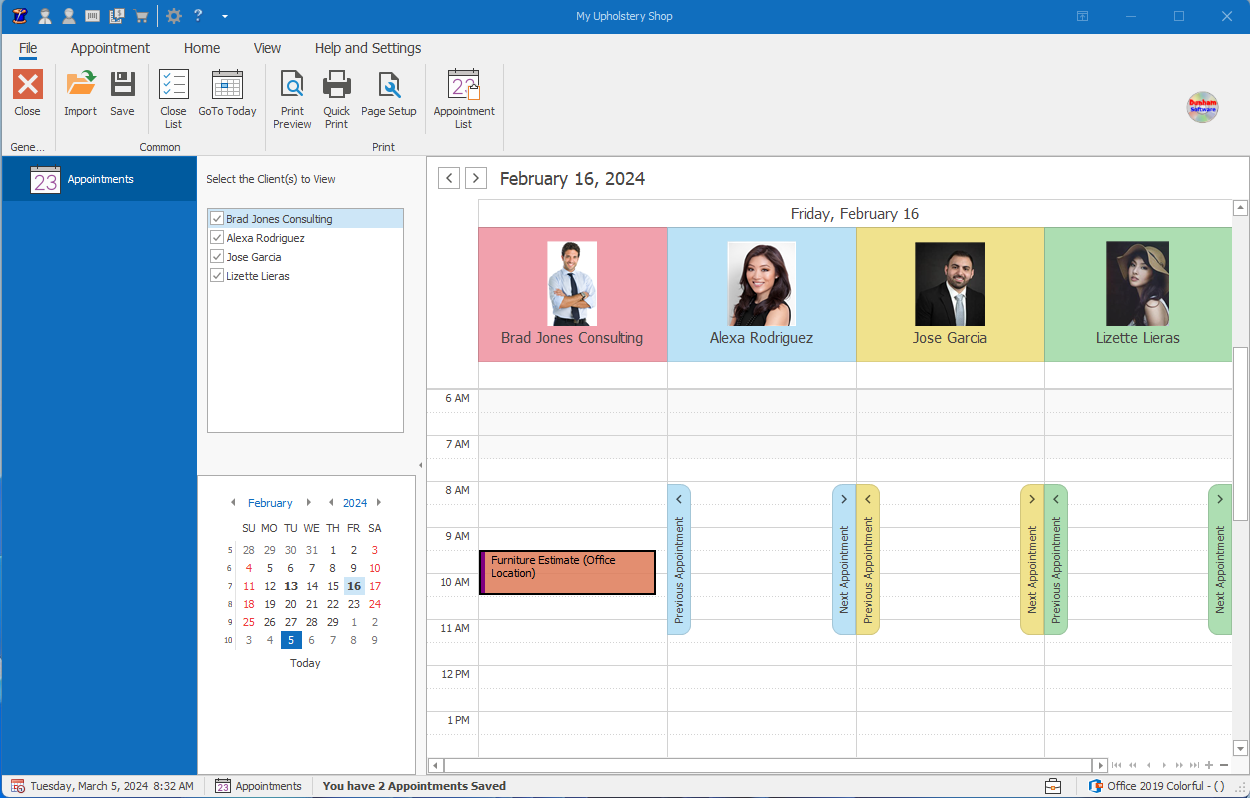
Appointment calendar
Schedule appointments with clients, add reminders and print the day's list.
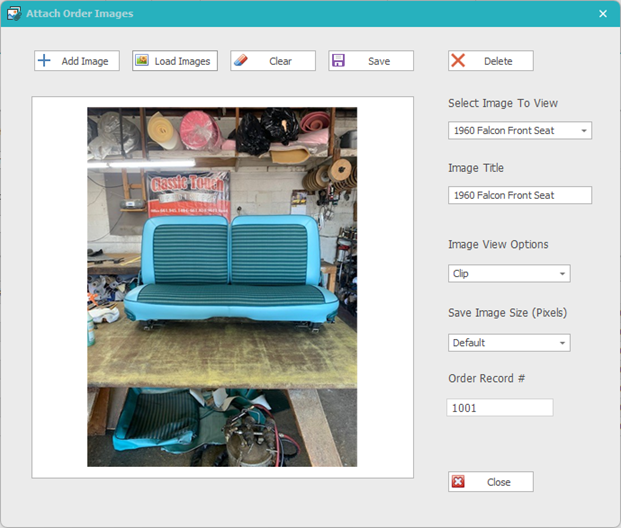
Order images
Attach photos to estimates, or orders — show before-and-after work. attach the photos to the estimate or order.
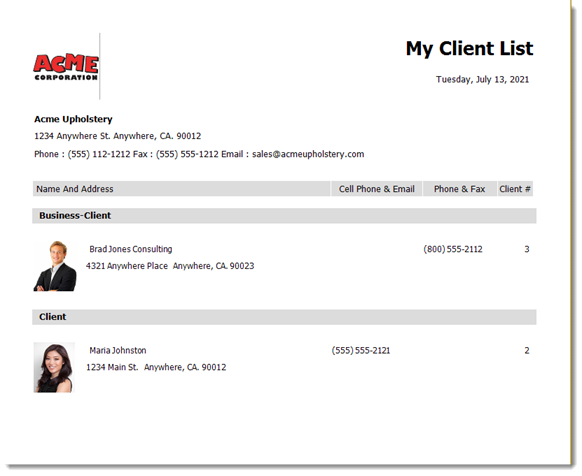
Client list
All your clients, business partners, and you can even look at just vendors.
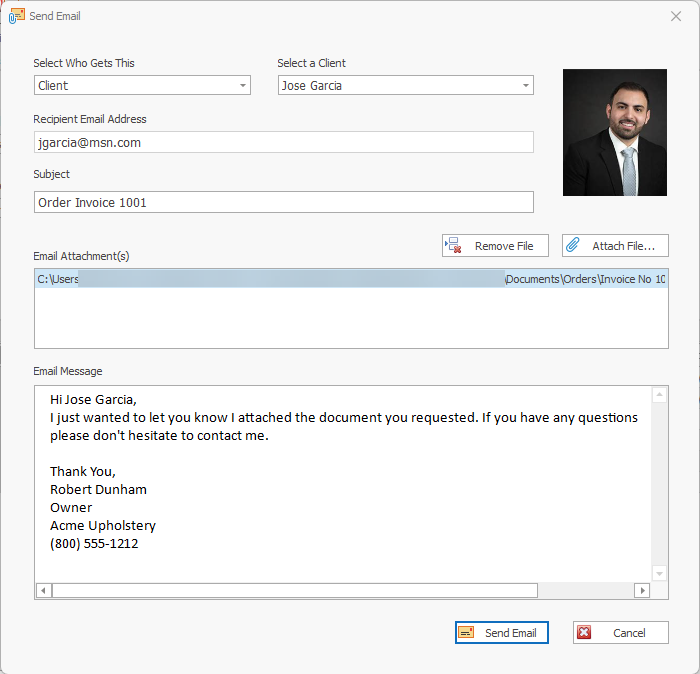
Email a client
Send email to clients, employees and vendors from inside the program. (Requires SMTP2Go)
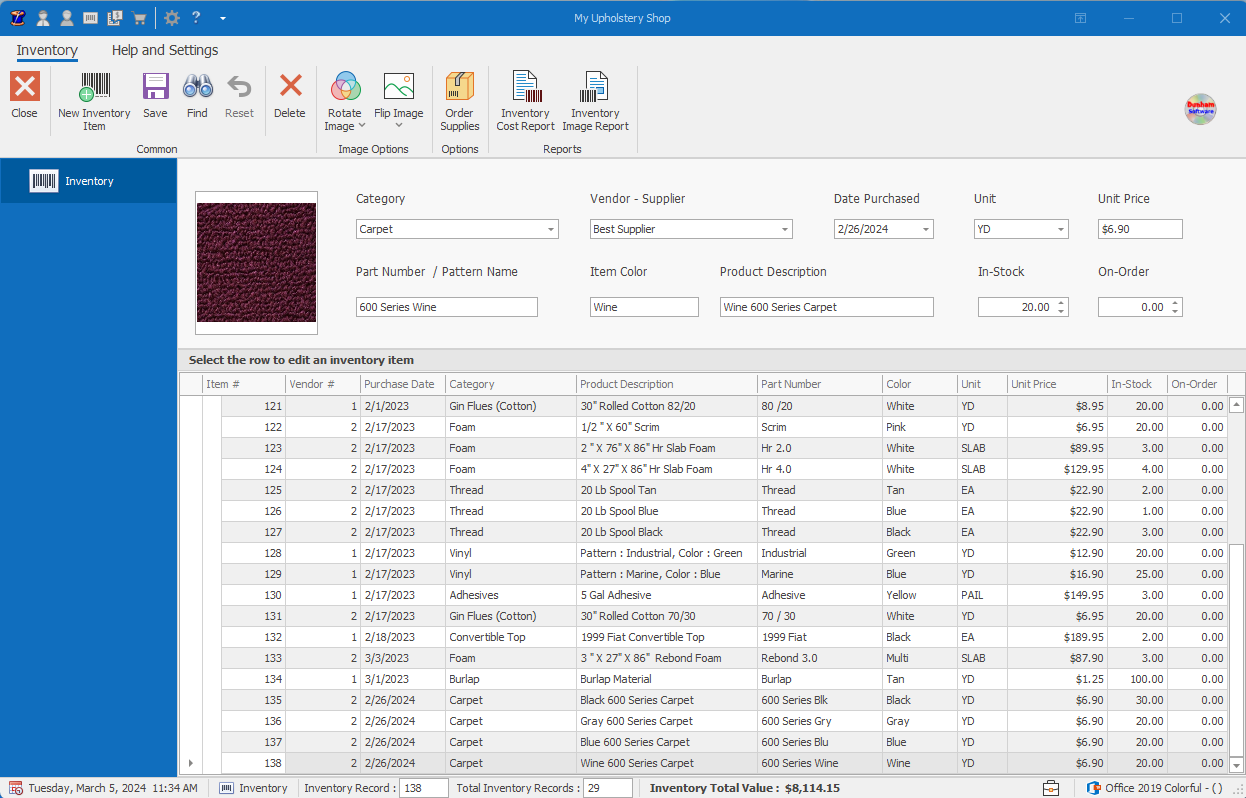
Inventory
Track stock and order supplies directly by email or web. Know your inventory worth at a glance.
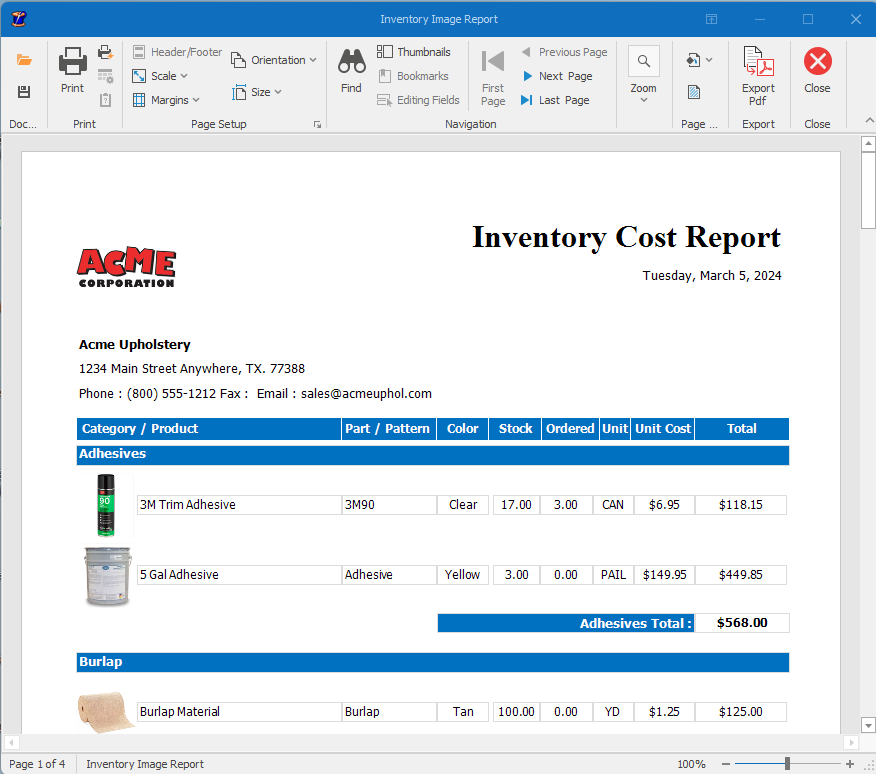
Inventory cost report
Visual cost reports for the materials on your shelves.
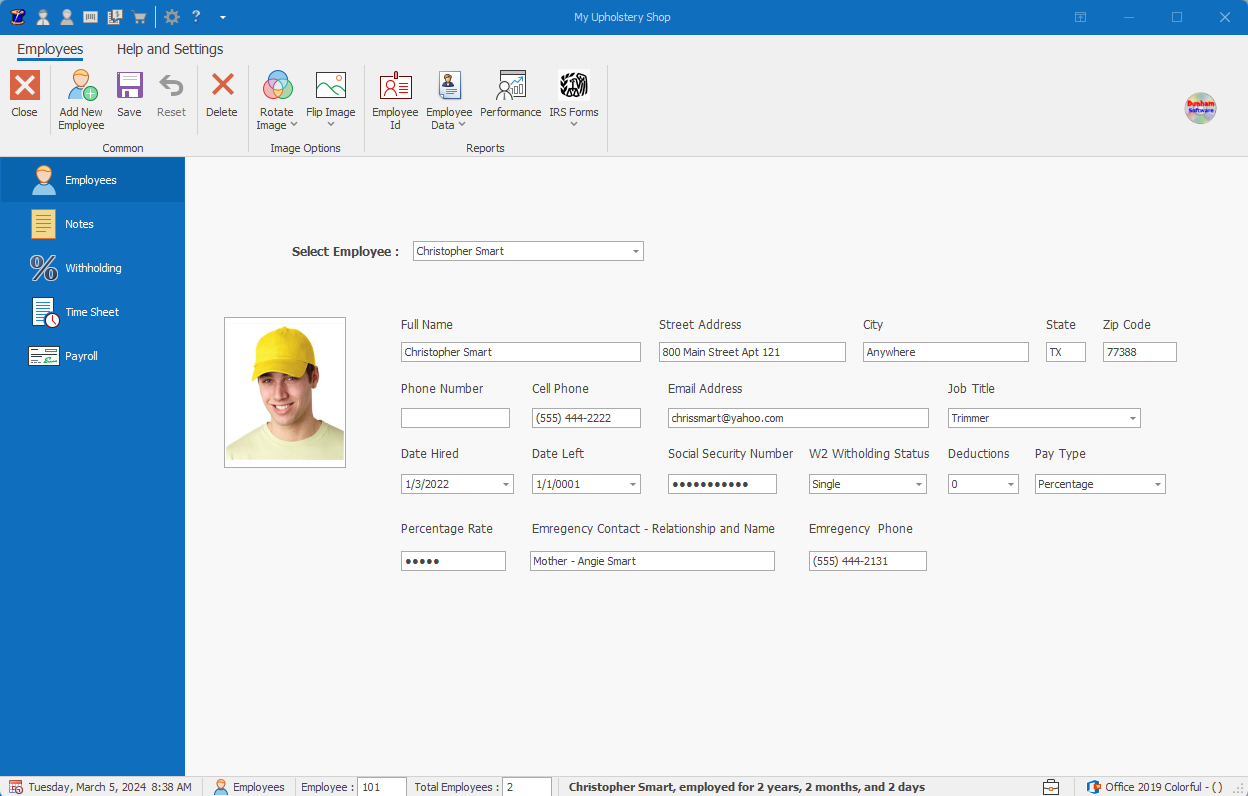
Employee record
Handle all your employee tasks from one page like notes, address changes, withholding, timesheets, and payroll.
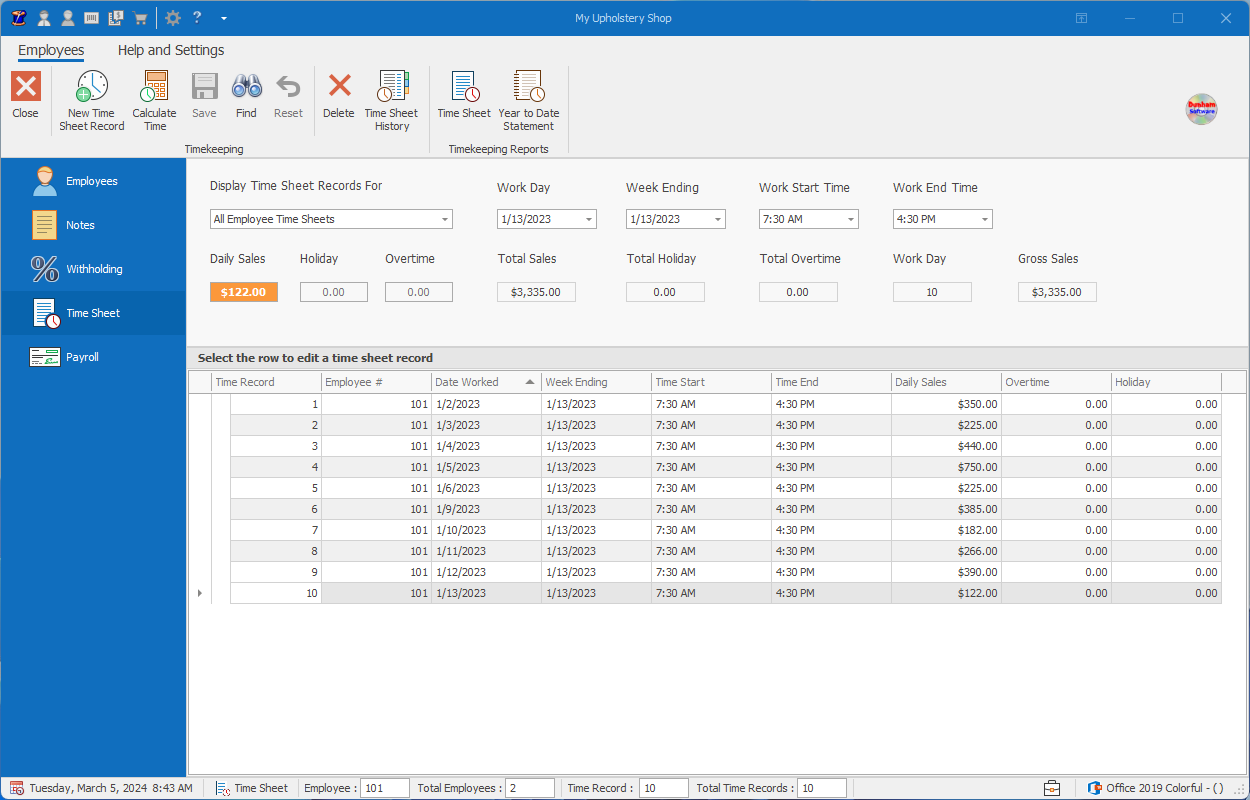
Time sheet
My Upholstery Shop was designed to automatically calculate hourly, piece work, or percentage-based wages.
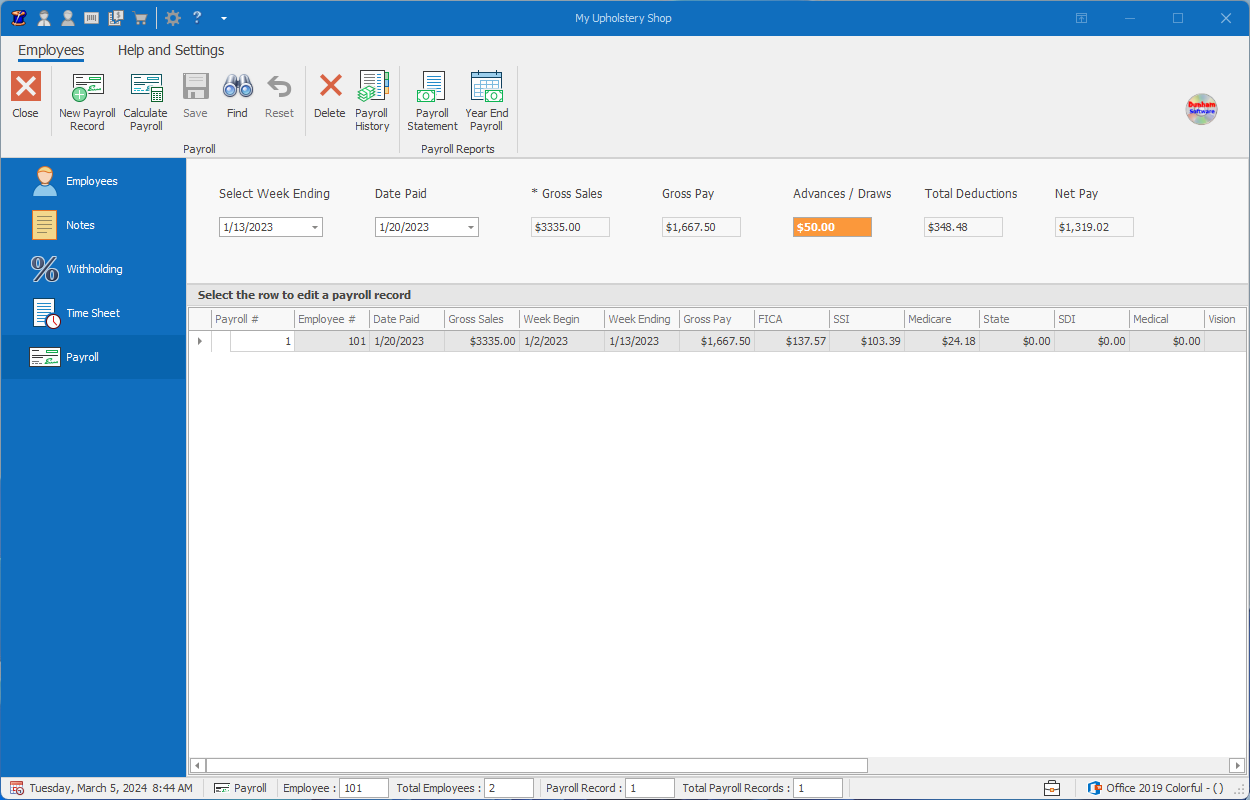
Employee Payroll
Payroll documents built from the time sheets you already created.
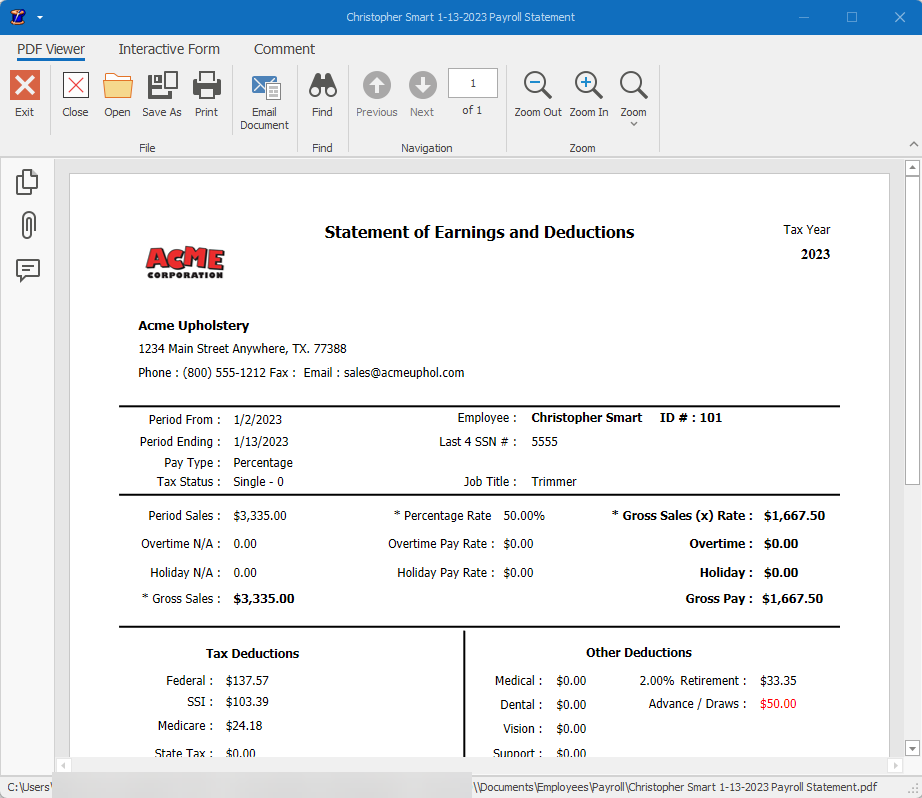
Payroll statement
Automatically calculates Period earnings and deductions for each employee pay period after pay period.
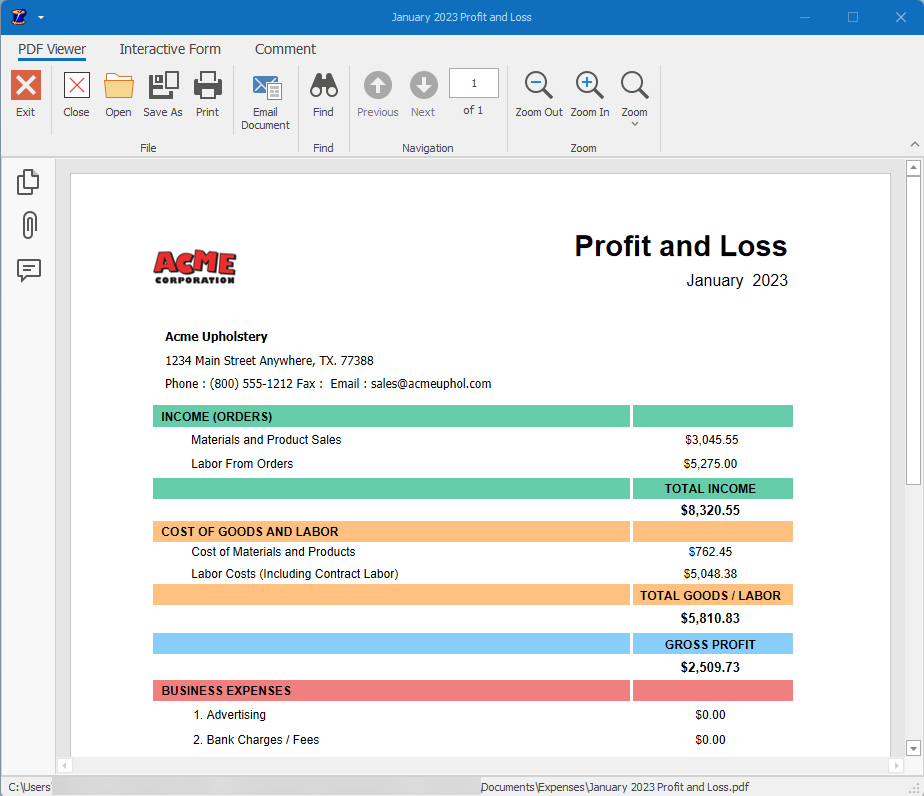
Profit & Loss
Need a Profit and Loss Statement on the fly? My Upholstery Shop automatically creates it for you, when you need it.
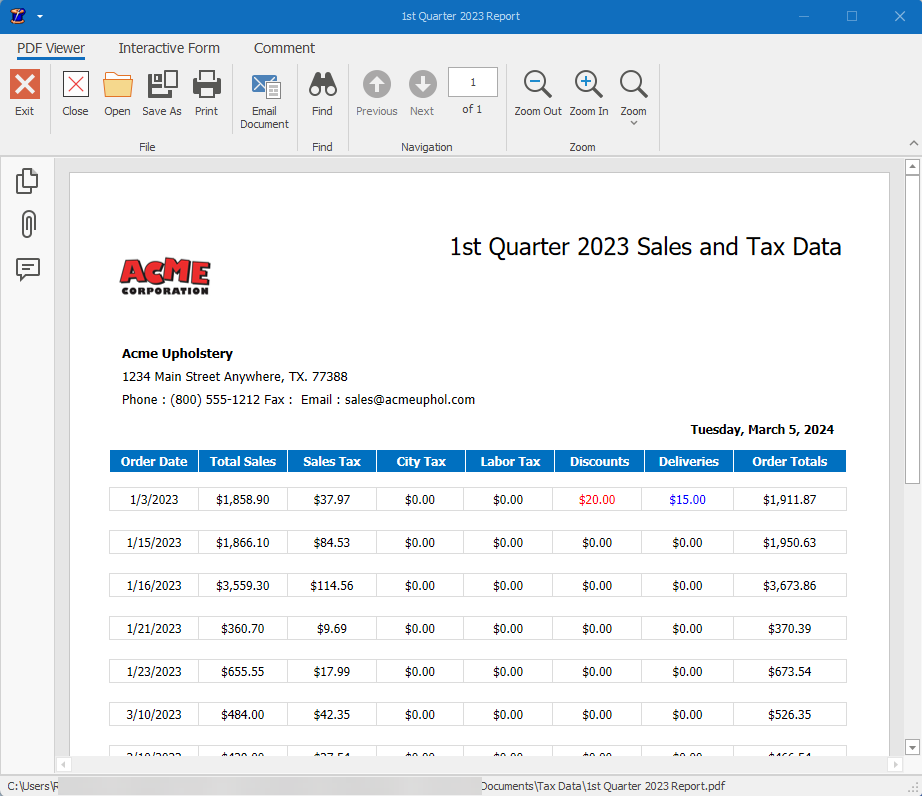
Sales & Tax Data
Quarterly sales, tax, discounts and deliveries in one report. Find out how much tax, discounts you gave, and delivery charges you collected monthly, quarterly or between dates.
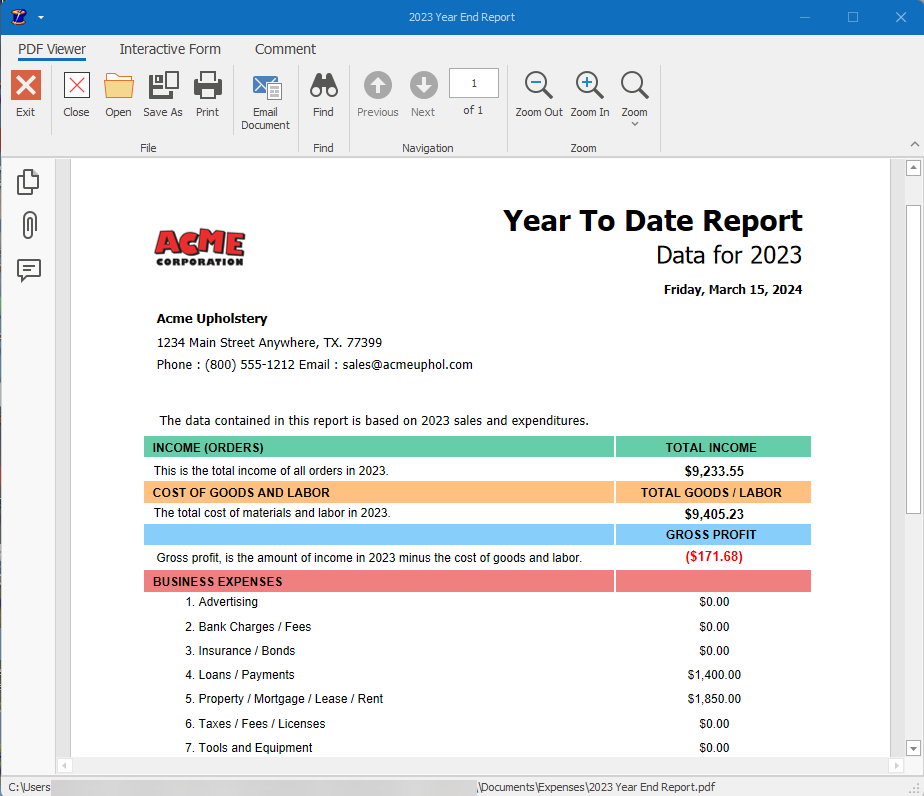
Year-to-Date Profit and Loss Report
Income, cost of goods, gross profit and business expenses for the year.
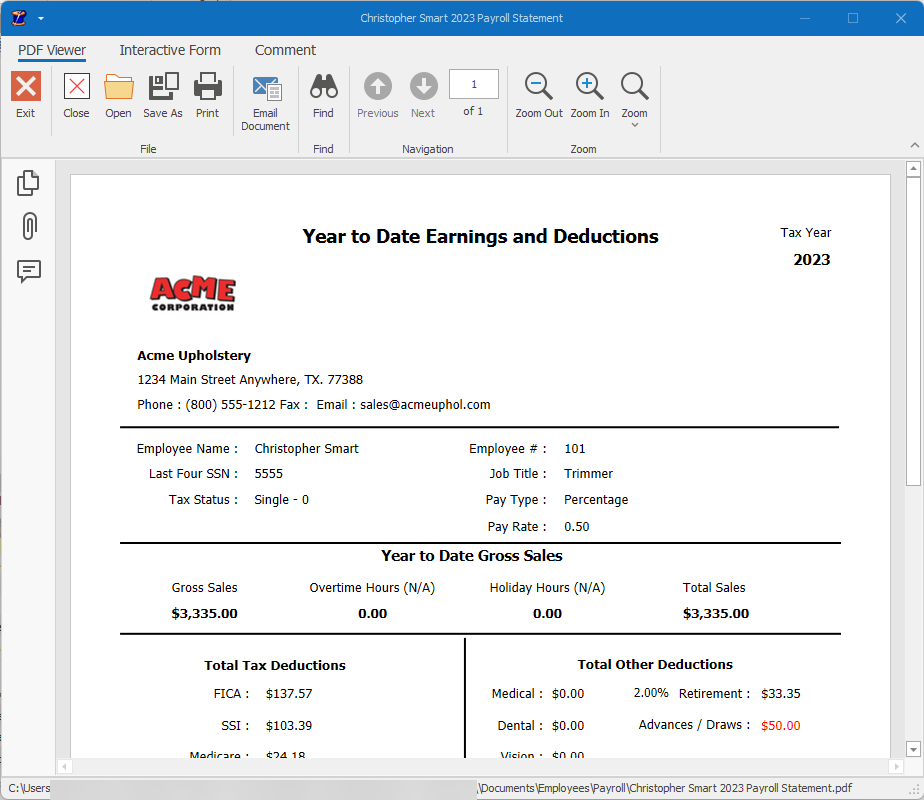
YTD Payroll Statement
Year-to-date employee earnings and deductions in one clean summary.
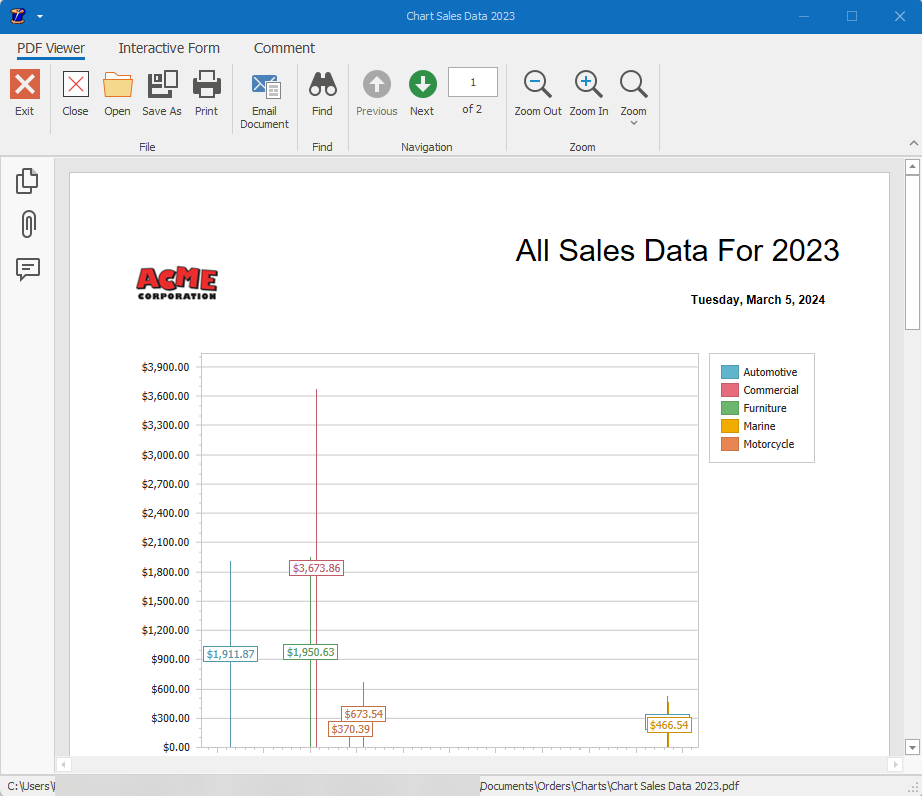
Sales chart
Department sales at a glance — automotive, commercial, furniture and more.
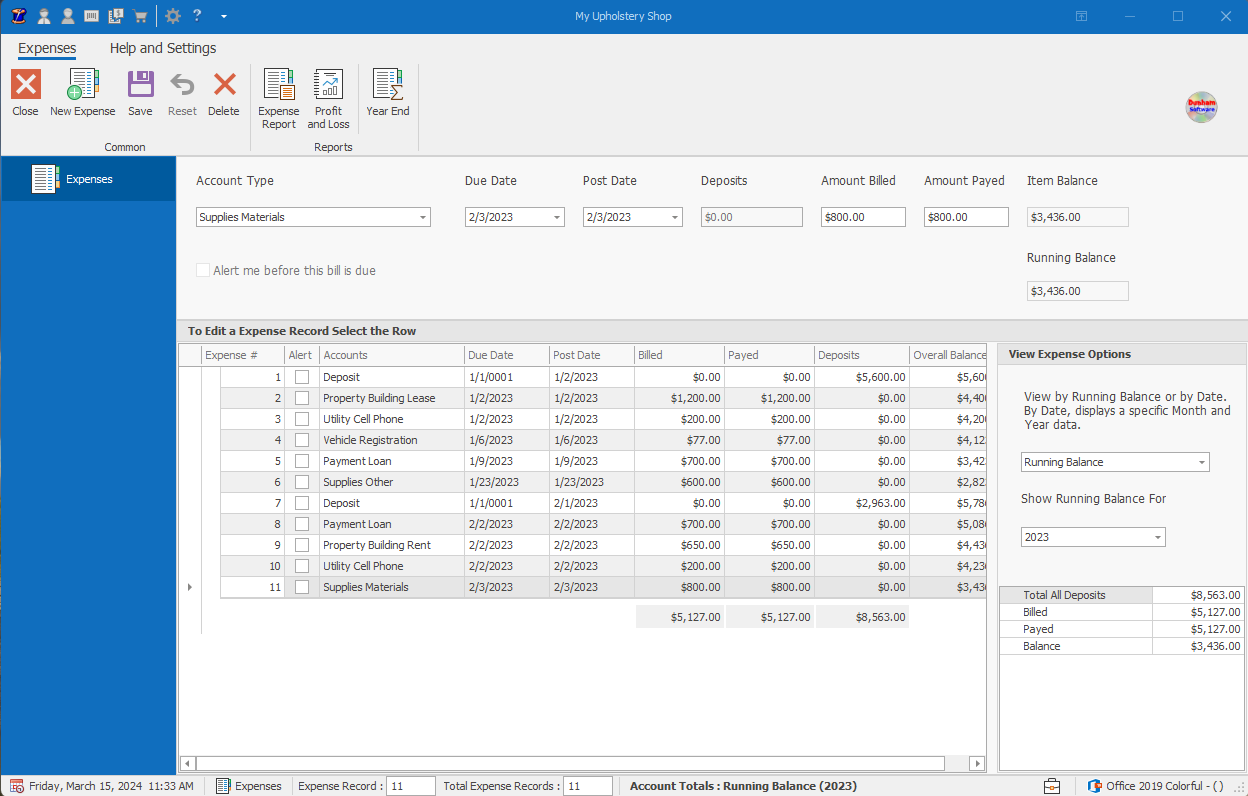
Expenses
Track monthly expenses as they happen.
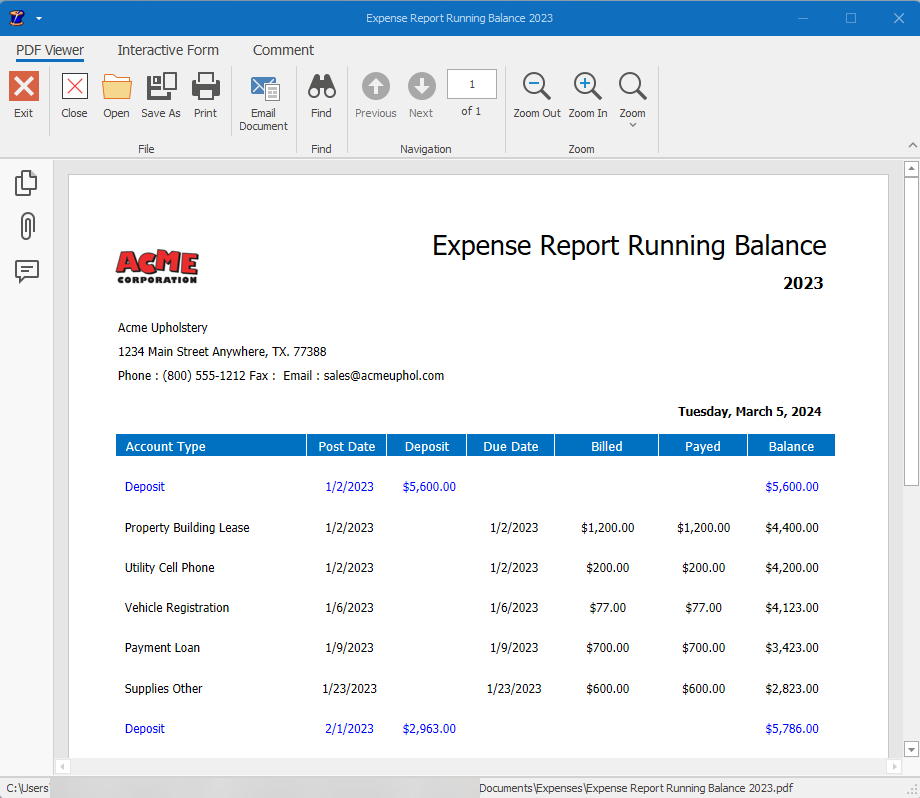
Expense Report - Running Balance
Running balance report for deposits, bills, and payments.
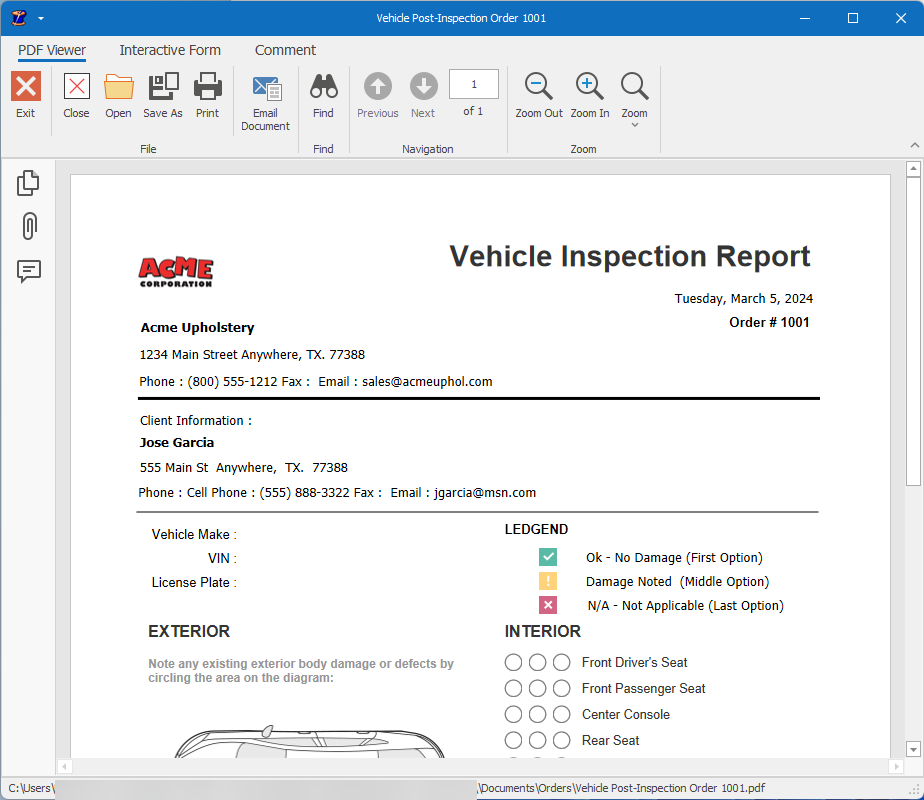
Vehicle inspection
Inspection Report for your client's vehicle you can do a before and after report.
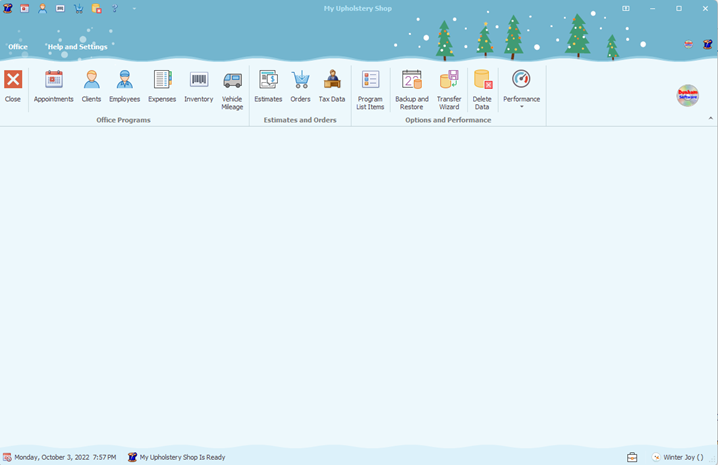
Program Theme
Make My Upholstery Shop yours by changing the theme of the program, there are over 200 combinations to choose from.
Like what you see? Try the full program free for 15 days — every screen, every feature.
Download the free trial